How hard it might be to ZIP a bunch of files you think right? Judge for yourself. Like in my previous post of getting the timestamp, I needed to ZIP all the source artifacts to upload to a server.
I could do this in one line in Ant. Yes, literally one line.
Now comes the fun part. Doing the same with Maven. Started browsing the Maven site to see what needs to be done to achieve the same. Sounds easy though, but the XML configured for such a fairly trivial task was not a 1 liner. Several lines to get this to work.
Not sure how many more things I will uncover using Maven. I would have written everything in Ant and asked the client to use the Ant plug-in for Maven, but that is not an option I have.
I am glad I am learning so many things about Maven. By the time I finish writing all the plug-ins for Maven, I am quite confident I will be able to say I am a Maven GURU. Hope that day comes soon.
Thursday, March 10, 2011
Wednesday, March 9, 2011
Hudson or Jenkins
I have been using Hudson( now called Jenkins) from early 2008, i.e. almost 3 years. Also, if you have been reading my blogs, you already know I am a huge fan of Hudson.
I had been following what's happening with Hudson and Jenkins closely. Every time I do a presentation at client sites, I get frequently asked about which way I am going. Like "Have you switched to Jenkins, why are you still using Hudson"? What are your thoughts about both of them?
Most of our clients which are big financial institutions are still using Hudson. So, we will have to support Hudson as long as our clients are using. Most of them had no inclination to switch to Jenkins either. They didn't have any opinion when I asked about the switch.
So, for the time being we are using Hudson. However, I did download Jenkins, renamed it to hudson.war and everything worked like a charm. As expected.
So, what are you using? Have you made the switch yet to Jenkins? If yes, may I ask why?
I had been following what's happening with Hudson and Jenkins closely. Every time I do a presentation at client sites, I get frequently asked about which way I am going. Like "Have you switched to Jenkins, why are you still using Hudson"? What are your thoughts about both of them?
Most of our clients which are big financial institutions are still using Hudson. So, we will have to support Hudson as long as our clients are using. Most of them had no inclination to switch to Jenkins either. They didn't have any opinion when I asked about the switch.
So, for the time being we are using Hudson. However, I did download Jenkins, renamed it to hudson.war and everything worked like a charm. As expected.
So, what are you using? Have you made the switch yet to Jenkins? If yes, may I ask why?
Tuesday, March 8, 2011
Getting Timestamp in Ant (trivial) and Maven (nontrivial)
I have been working on custom plug-ins for Ant and Maven to upload artifacts to a server. These are source files, the binaries and anything required for scanning using a static code analysis tool for security. Having used Ant for more than a decade now getting the time stamp to keep track of the uploads and also the log files was done in a few minutes.
So, it is trivial getting a timestamp from within my build.xml file. Attached is the sample for doing the same.
No surprises, and everything works like a charm.
Now comes the tough part. Getting the timestamp in Maven. After writing several plug-ins for Hudson and Sonar, I was thinking I have some good knowledge about Maven. I was completely wrong. I have been struggling getting the time stamp plug-in to work with Maven.
So, here are the steps I followed when I saw there was a "Build Number Maven Plug-in".
I added the plugin details to my pom.xml file. Attached are the details:
As soon as I ran this, I got an exception as shown below:
Next, I decided to install the plug-in manually on my local repository. So, here I followed the following steps:
1. Downloaded the jar from http://mirrors.ibiblio.org/pub/mirrors/maven2/org/codehaus/mojo/buildnumber-maven-plugin/1.0-beta-4/buildnumber-maven-plugin-1.0-beta-4.jar
2. Installed it locally in my Maven repository as such:
The timestamp was created at this point, and now the plugin complains about the scm url being null.
I searched the FAQ section of this plugin at http://mojo.codehaus.org/buildnumber-maven-plugin/faq.html and it says to include the
At this point, I just gave up using this plug-in.
Have you used this plug-in and have a work around for this problem? Please share your thoughts. Is there anything else easier I can use to get the time stamp?
So, it is trivial getting a timestamp from within my build.xml file. Attached is the sample for doing the same.
No surprises, and everything works like a charm.
Now comes the tough part. Getting the timestamp in Maven. After writing several plug-ins for Hudson and Sonar, I was thinking I have some good knowledge about Maven. I was completely wrong. I have been struggling getting the time stamp plug-in to work with Maven.
So, here are the steps I followed when I saw there was a "Build Number Maven Plug-in".
I added the plugin details to my pom.xml file. Attached are the details:
As soon as I ran this, I got an exception as shown below:
artifact org.codehaus.mojo:buildnumber-maven-plugin: checking for updates from central[WARNING] repository metadata for: 'artifact org.codehaus.mojo:buildnumber-maven-plugin' could not be retrieved from repository: central due to an error: Error transferring file: Connection timed out: connectRepository 'central' will be blacklisted------------------------------------------------------------------------[ERROR]BUILD ERROR------------------------------------------------------------------------The plugin 'org.codehaus.mojo:buildnumber-maven-plugin' does not exist or no valid version could be found
Next, I decided to install the plug-in manually on my local repository. So, here I followed the following steps:
1. Downloaded the jar from http://mirrors.ibiblio.org/pub/mirrors/maven2/org/codehaus/mojo/buildnumber-maven-plugin/1.0-beta-4/buildnumber-maven-plugin-1.0-beta-4.jar
2. Installed it locally in my Maven repository as such:
mvn install:install-file -Dfile=buildnumber-maven-plugin-1.0-beta-4.jar \
-DgroupId=org.codehaus.mojo \
-DartifactId=buildnumber-maven-plugin \
-Dversion=1.0-beta-4 \
-Dpackaging=jar
The timestamp was created at this point, and now the plugin complains about the scm url being null.
------------------------------------------------------------------------
[buildnumber:create]
Storing buildNumber: 20110308095006 at timestamp: 1299595806804
------------------------------------------------------------------------
[ERROR]FATAL ERROR
------------------------------------------------------------------------
The scm url cannot be null.
------------------------------------------------------------------------
Trace
java.lang.NullPointerException: The scm url cannot be null.
at org.apache.maven.scm.manager.AbstractScmManager.makeScmRepository(AbstractScmManager.java:181)
at org.codehaus.mojo.build.CreateMojo.getScmRepository(CreateMojo.java:722)
at org.codehaus.mojo.build.CreateMojo.getScmBranch(CreateMojo.java:593)
at org.codehaus.mojo.build.CreateMojo.execute(CreateMojo.java:452)
at org.apache.maven.plugin.DefaultPluginManager.executeMojo(DefaultPluginManager.java:490)
at org.apache.maven.lifecycle.DefaultLifecycleExecutor.executeGoals(DefaultLifecycleExecutor.java:694)
at org.apache.maven.lifecycle.DefaultLifecycleExecutor.executeGoalWithLifecycle(DefaultLifecycleExecutor.java:556)
at org.apache.maven.lifecycle.DefaultLifecycleExecutor.executeGoal(DefaultLifecycleExecutor.java:535)
at org.apache.maven.lifecycle.DefaultLifecycleExecutor.executeGoalAndHandleFailures(DefaultLifecycleExecutor.java:387)
at org.apache.maven.lifecycle.DefaultLifecycleExecutor.executeTaskSegments(DefaultLifecycleExecutor.java:348)
at org.apache.maven.lifecycle.DefaultLifecycleExecutor.execute(DefaultLifecycleExecutor.java:180)
at org.apache.maven.DefaultMaven.doExecute(DefaultMaven.java:328)
at org.apache.maven.DefaultMaven.execute(DefaultMaven.java:138)
at org.apache.maven.cli.MavenCli.main(MavenCli.java:362)
at org.apache.maven.cli.compat.CompatibleMain.main(CompatibleMain.java:60)
at sun.reflect.NativeMethodAccessorImpl.invoke0(Native Method)
at sun.reflect.NativeMethodAccessorImpl.invoke(NativeMethodAccessorImpl.java:39)
at sun.reflect.DelegatingMethodAccessorImpl.invoke(DelegatingMethodAccessorImpl.java:25)
at java.lang.reflect.Method.invoke(Method.java:597)
at org.codehaus.classworlds.Launcher.launchEnhanced(Launcher.java:315)
at org.codehaus.classworlds.Launcher.launch(Launcher.java:255)
at org.codehaus.classworlds.Launcher.mainWithExitCode(Launcher.java:430)
at org.codehaus.classworlds.Launcher.main(Launcher.java:375)
------------------------------------------------------------------------
Total time: 2 seconds
Finished at: Tue Mar 08 09:50:07 EST 2011
Final Memory: 24M/224M
------------------------------------------------------------------------
I searched the FAQ section of this plugin at http://mojo.codehaus.org/buildnumber-maven-plugin/faq.html and it says to include the
revisionOnScmFailurewhich like you can see I have included.
At this point, I just gave up using this plug-in.
Have you used this plug-in and have a work around for this problem? Please share your thoughts. Is there anything else easier I can use to get the time stamp?
Update: After several tries using many other plug-ins including the one for Groovy, I found a workaround for some other bug at the following location http://jira.codehaus.org/browse/MRESOURCES-99, and I was able to successfully get the time stamp I need. Huh, I need my 3 hours back Maven......
Wednesday, March 2, 2011
RESTEasy - Connection Release Problems
If you are using RESTEasy client framework, and returning a Response from your service method, you will explicitly need to release the connection.
Here is the stack trace you will see, if the connection isn't released.
So, in order to fix this issue, RESTEasy has a method for releasing the connections which can be done using the following code:
Here is the stack trace you will see, if the connection isn't released.
Exception in thread "main" java.lang.RuntimeException: java.lang.IllegalStateException: Invalid use of SingleClientConnManager: connection still allocated.
Make sure to release the connection before allocating another one.
at org.jboss.resteasy.client.core.ClientInvoker.invoke(ClientInvoker.java:101)
at org.jboss.resteasy.client.core.ClientProxy.invoke(ClientProxy.java:72)
at $Proxy25.updateSubmission(Unknown Source)
at meera.rest.main.MYRestWorkflow.main(MYRestWorkflow.java:61)
Caused by: java.lang.IllegalStateException: Invalid use of SingleClientConnManager: connection still allocated.
Make sure to release the connection before allocating another one.
at org.apache.http.impl.conn.SingleClientConnManager.getConnection(SingleClientConnManager.java:199)
at org.apache.http.impl.conn.SingleClientConnManager$1.getConnection(SingleClientConnManager.java:173)
at org.apache.http.impl.client.DefaultRequestDirector.execute(DefaultRequestDirector.java:390)
at org.apache.http.impl.client.AbstractHttpClient.execute(AbstractHttpClient.java:641)
at org.apache.http.impl.client.AbstractHttpClient.execute(AbstractHttpClient.java:576)
at org.apache.http.impl.client.AbstractHttpClient.execute(AbstractHttpClient.java:554)
at org.jboss.resteasy.client.core.executors.ApacheHttpClient4Executor.execute(ApacheHttpClient4Executor.java:86)
at org.jboss.resteasy.core.interception.ClientExecutionContextImpl.proceed(ClientExecutionContextImpl.java:39)
at org.jboss.resteasy.plugins.interceptors.encoding.AcceptEncodingGZIPInterceptor.execute(AcceptEncodingGZIPInterceptor.java:40)
at org.jboss.resteasy.core.interception.ClientExecutionContextImpl.proceed(ClientExecutionContextImpl.java:45)
at org.jboss.resteasy.client.ClientRequest.execute(ClientRequest.java:449)
at org.jboss.resteasy.client.ClientRequest.httpMethod(ClientRequest.java:679)
at org.jboss.resteasy.client.core.ClientInvoker.invoke(ClientInvoker.java:97)
... 3 more
------------------------------------------------------------------------
[ERROR]BUILD ERROR
------------------------------------------------------------------------
So, in order to fix this issue, RESTEasy has a method for releasing the connections which can be done using the following code:
MyResource resource = MyProxyFactory.create(MyResource.class, "resourcePath");
ClientResponse response = (ClientResponse) resource.create();
//Any REST Resource which returns a ClientResponse, has to call releaseConnection to release all the connections back
//to the connection pool
response.releaseConnection();
Saturday, February 26, 2011
Technical Books and Kindle
I very much enjoy my new Kindle. I had no idea that I would get addicted to this new toy. From the time I got the Kindle, I have already read 4 books.
I uploaded several of my technical PDF books. These books were from Manning, Apress, O'Reilly. However, none of these render properly on the Kindle.
It is hard to flip the pages, the pages don't display correctly, the diagrams also don't show up properly, and code samples are even bad.
So, was wondering how you all use your Kindle to read technical books? Any tips or tricks would really be help.
I uploaded several of my technical PDF books. These books were from Manning, Apress, O'Reilly. However, none of these render properly on the Kindle.
It is hard to flip the pages, the pages don't display correctly, the diagrams also don't show up properly, and code samples are even bad.
So, was wondering how you all use your Kindle to read technical books? Any tips or tricks would really be help.
Wednesday, January 26, 2011
Amazon Kindle
Just yesterday I received the Amazon Kindle as a gift from my company for my hard work. Isn't it a great feeling to know your company recognizes your hard work, and appreciates the same? I always wanted to buy a Kindle, but wasn't sure if it is even going to help me.
It has been less than 24 hours, and I am hooked to this new electronic gadget. It has WI-FI, I can check my email, listen to music, read books. Of course, if you have a Twitter or Facebook account, you can connect to those accounts as well directly from the Kindle. I don't have either one of them, and am not sure will have one soon.
I was able to copy all my technical ebooks to the Kindle. There is however one problem I am unable to solve. The Kindle connects fine to my Mac, I am unable to connect it to my Work Computer which is Windows 7 64 bit. So, had to copy some of my books to the Mac, and from there to the Kindle.
Anyone facing the same problem with Windows 7? Any suggestions?
Time to start reviewing books like I did earlier, right?
It has been less than 24 hours, and I am hooked to this new electronic gadget. It has WI-FI, I can check my email, listen to music, read books. Of course, if you have a Twitter or Facebook account, you can connect to those accounts as well directly from the Kindle. I don't have either one of them, and am not sure will have one soon.
I was able to copy all my technical ebooks to the Kindle. There is however one problem I am unable to solve. The Kindle connects fine to my Mac, I am unable to connect it to my Work Computer which is Windows 7 64 bit. So, had to copy some of my books to the Mac, and from there to the Kindle.
Anyone facing the same problem with Windows 7? Any suggestions?
Time to start reviewing books like I did earlier, right?
Wednesday, December 15, 2010
Hudson - Setting up Windows Slave
Several of my colleagues had trouble installing Hudson slave on a Windows machine. I was at a client site, and so decided to write step-by-step instructions for installing the same. It worked, and everyone was happy. So, here comes the instructions with screen shots.
1. Log into the windows machine where the slave needs to be setup.
2. Open up a browser and connect to the master. http://yourmaster:yourport. In my case, it is http://windowsserver:7223
3. Click on Manage Hudson -> Manage Nodes. This will bring the following page:
4. Click on New Node. Provide a slave name and check on Dumb Node, and click OK.
5.Next, provide all the details for this slave
6. Save the setting. Put the slave.jar in a folder. From this folder run the following command:
7. This will start the slave, and you should see it running as follows:
8. And the slave should be listed on your Hudson Master dashboard as shown below:
The folder specified while configuring the slave will have the following slaves libraries downloaded:
1. Log into the windows machine where the slave needs to be setup.
2. Open up a browser and connect to the master. http://yourmaster:yourport. In my case, it is http://windowsserver:7223
3. Click on Manage Hudson -> Manage Nodes. This will bring the following page:
4. Click on New Node. Provide a slave name and check on Dumb Node, and click OK.
5.Next, provide all the details for this slave
6. Save the setting. Put the slave.jar in a folder. From this folder run the following command:
java -jar slave.jar -jnlpUrl http://yourmasterserver:7223/computer/windowsslave/slave-agent.jnlpwindowsslave is the name you gave for the slave machine
7. This will start the slave, and you should see it running as follows:
8. And the slave should be listed on your Hudson Master dashboard as shown below:
The folder specified while configuring the slave will have the following slaves libraries downloaded:
- maven2.1-interceptor.jar
- maven-agent.jar
- maven-interceptor.jar
Monday, December 13, 2010
Hudson – Creating users with no CAPTCHA
There was a requirement from one of the clients to have no CAPTCHA while signing up for new users in Hudson. A few searches showed that many had requested for this feature, and it was implemented using the security-no-captcha.hpi plugin.
I also heard from the client that they use open JDK and that the CAPTCHA doesn't show up when using this. I also saw a bug report on Hudson's issue list at the following link:
* Hudson, OpenJDK and CAPTCHA
* A second issue
Attached below are steps to install this plugin.
1. Open up a web browser and go to URL http://yourserver:yourhost where yourserver is the name of the system running Hudson. In my case it http://localhost:7223. This should bring the Hudson dashboard, click on the Manage Hudson link on the left hand side. This opens up the following page:
2.Click on Manage Hudson - Manage Plugins. Click now on the Available tab,
in the Authentication and User Management, check the Security No CAPTCHA check box, scroll all the way down click on the Install button at the far right hand corner.
3. Restart Hudson and you should be able to see the plugin in the Installed tab.
4. Within the Manage Hudson -> Configure System, now select the “Hudson’s own user database (Without a CAPTCHA)” check box. Within the Authorization tab, create a User, and check all options.
7. Save this configuration. And when you click on sign up at the right hand corner, no CAPTCHA is shown.
Hudson has been amazing me from day one, I just love to use this CI tool, and recommend every client to do so.
Thanks, Kohsuke Kawaguchi for such a wonderful tool.
I also heard from the client that they use open JDK and that the CAPTCHA doesn't show up when using this. I also saw a bug report on Hudson's issue list at the following link:
* Hudson, OpenJDK and CAPTCHA
* A second issue
Attached below are steps to install this plugin.
1. Open up a web browser and go to URL http://yourserver:yourhost where yourserver is the name of the system running Hudson. In my case it http://localhost:7223. This should bring the Hudson dashboard, click on the Manage Hudson link on the left hand side. This opens up the following page:
2.Click on Manage Hudson - Manage Plugins. Click now on the Available tab,
in the Authentication and User Management, check the Security No CAPTCHA check box, scroll all the way down click on the Install button at the far right hand corner.
3. Restart Hudson and you should be able to see the plugin in the Installed tab.
4. Within the Manage Hudson -> Configure System, now select the “Hudson’s own user database (Without a CAPTCHA)” check box. Within the Authorization tab, create a User, and check all options.
7. Save this configuration. And when you click on sign up at the right hand corner, no CAPTCHA is shown.
Hudson has been amazing me from day one, I just love to use this CI tool, and recommend every client to do so.
Thanks, Kohsuke Kawaguchi for such a wonderful tool.
Monday, November 29, 2010
Spring Security : Combining Basic and Form based Authentication
There are many use cases where you would want to combine both basic and form based authentication when using Spring Security. This was possible with earlier releases of Spring Security but a lot more involved. However, if you can wait for a couple of months for Spring Security 3.1.0 to be released, it can be done by defining multiple http elements in your Spring Security application context file. Multiple http elements couldn't be defined in Spring Security 3.0.X.
The use case we had was to support basic authentication for our REST services, and form based authentication for the same application with a WEB interface.
If you download the Spring Security 3.1.0 M1 release, the PDF also has an example with the same use case scenario.
Add the following http elements in your application context file, change the URL patterns accordingly and you are all set:
Isn't this so simple and easy?
The use case we had was to support basic authentication for our REST services, and form based authentication for the same application with a WEB interface.
If you download the Spring Security 3.1.0 M1 release, the PDF also has an example with the same use case scenario.
Add the following http elements in your application context file, change the URL patterns accordingly and you are all set:
Isn't this so simple and easy?
Thursday, November 4, 2010
Generating SHA256 passwords in Python
n my last post I had a small example showing how to secure your passwords using Spring Security 3.0.4. We needed a simple client written in Python to do the same from a command line. Of course, if you were using Java, it would have been four lines written in a simple Main class and you could run it in either Eclipse or NetBeans and get the hash of the password.
Now run this from a command line as shown below:
The getpass library doesn't echo the password on the command line. Simple and easy.
.
Since we needed a simple command line utility to do the same, to write the same in Python was even more simpler. This example was run on my Ubuntu Virtual machine.
public static String passwordEncoder(String plainText) {
MessageDigest digest;
try {
digest = MessageDigest.getInstance("SHA-256");
digest.reset();
byte rawPassword[] = digest.digest(plainText.getBytes("UTF-8"));
String hash = (new BASE64Encoder()).encode(rawPassword);
return hash;
} catch (Exception e) {
e.printStackTrace();
return null;
}
import getpass
from hashlib import sha256
import base64
def main(self):
self.generate_hash_password()
def generate_hash_password(self):
print "Enter password to hash :",
password1 = getpass.getpass()
print "Confirm :",
password2 = getpass.getpass()
if password1 == password2:
print "Both passwords matched"
hash = sha256(password1).digest()
encoded = base64.b64encode(hash)
print " SHA 256 base 64 encoded password ", ":", encoded
else:
print "Both passwords do not match"
if __name__ == "__main__":
try:
password_encoder = PASSWORD_ENCODER()
password_encoder.main()
except KeyboardInterrupt:
exit(0)
Now run this from a command line as shown below:
The getpass library doesn't echo the password on the command line. Simple and easy.
.
Wednesday, November 3, 2010
Spring Security 3.0.4 and PasswordEncoder
We needed to encode our passwords stored in a simple properties file using SHA 256, and also later base64 encode this hash. A few searches in the Spring documentation, and downloading the sources did the trick.
So, attached below are the configuration changes you need to make for the same:
Add the following entries to your Spring Application Context file:
The property encodeHashAsBase64 if enabled, will give us the base64 encoded string of the hash. The rest-users.properties should now have the username, based 64 encoded password, and all the roles associated to that user.
Simple , easy and elegant.
I will keep posting as and when I discover new things about Spring Security 3.0.4
So, attached below are the configuration changes you need to make for the same:
Add the following entries to your Spring Application Context file:
The property encodeHashAsBase64 if enabled, will give us the base64 encoded string of the hash. The rest-users.properties should now have the username, based 64 encoded password, and all the roles associated to that user.
Simple , easy and elegant.
I will keep posting as and when I discover new things about Spring Security 3.0.4
Tuesday, November 2, 2010
Spring Security 3.0.4
I started using the latest Spring Security 3.0.4 for my current project. Spring Security is being used to secure our REST Services. I didn't find any good tutorials or samples on the web for this latest version.
With a lot of trial and error, I was finally able to get Authetication and Authorization working. Of course, I did read the SpringSecurity.pdf which comes with the download and worked on some samples before implementing the same in my project.
Have you used Spring Security, the latest version? Are there any books which cover this version? I did see "Spring in Action" for this new release. However, it is still in MEAP release.
Share your thoughts. I will write a detailed post of Securing REST with Spring Security.
With a lot of trial and error, I was finally able to get Authetication and Authorization working. Of course, I did read the SpringSecurity.pdf which comes with the download and worked on some samples before implementing the same in my project.
Have you used Spring Security, the latest version? Are there any books which cover this version? I did see "Spring in Action" for this new release. However, it is still in MEAP release.
Share your thoughts. I will write a detailed post of Securing REST with Spring Security.
Thursday, October 14, 2010
Hudson and Listen on Localhost only
I have been using Hudson for almost close to 3 years and have seen many many requirements from clients. Have been amazed by what all can be done using Hudson. Just yesterday, had a rather unusual requirement that Hudson was supposed to listen to only localhost. No user from outside the machine that Hudson was installed should be able to access it. A little bit of research, trial and error, and I was able to get this resolved in a few minutes.
So, next time you have this requirement to run Hudson locally and not be able to access from outside this machine, follow this very simple instruction.
In the normal way of starting Hudson, you will be using either your shell or batch file, which has the following command:
java -jar hudson.war --httpPort=7223
Now, when you don't want external access to Hudson other than localhost, start Hudson as follows:
java -jar hudson.war --httpPort=7223 --httpListenAddress=localhost
Try accessing Hudson from the same machine everything works fine:
Now, try accessing Hudson from another machine, in my case a Virtual Machine, you will see something like this:
Exactly what you want, right?
To see all other options you can provide while using Hudson and the default Winstone servlet container, take a look here:
So, next time you have this requirement to run Hudson locally and not be able to access from outside this machine, follow this very simple instruction.
In the normal way of starting Hudson, you will be using either your shell or batch file, which has the following command:
java -jar hudson.war --httpPort=7223
Now, when you don't want external access to Hudson other than localhost, start Hudson as follows:
java -jar hudson.war --httpPort=7223 --httpListenAddress=localhost
Try accessing Hudson from the same machine everything works fine:
Now, try accessing Hudson from another machine, in my case a Virtual Machine, you will see something like this:
Exactly what you want, right?
To see all other options you can provide while using Hudson and the default Winstone servlet container, take a look here:
Thursday, August 5, 2010
Hudson, Ubuntu 10.04 and OpenJDK
Yesterday, I was trying to install and run Hudson server on my Ubuntu 10.04 VM. I was constantly getting the following error message. I even tried to create a slave on this Virtual Machine from my Windows Master, and even that was not working. The error message was :
I wasn't able to find anything related to this exception in the Hudson user groups. A simple test to make sure I was running the correct version of Java, helped fix things. The VM was running openJDK, and after linking to the correct Sun JDK the problem went away. I was able to run the master on this VM< and also on a similar VM was able to run the slave as well.
So, if in case you see this error next time, make sure and check which Java you are using.
java.security.ProviderException: Could not initialize NSS
at sun.security.pkcs11.SunPKCS11.(SunPKCS11.java:201)
at sun.security.pkcs11.SunPKCS11.(SunPKCS11.java:103)
at sun.reflect.NativeConstructorAccessorImpl.newInstance0(Native Method)
at sun.reflect.NativeConstructorAccessorImpl.newInstance(NativeConstructorAccessorImpl.java:57)
at sun.reflect.DelegatingConstructorAccessorImpl.newInstance(DelegatingConstructorAccessorImpl.java:45)
at java.lang.reflect.Constructor.newInstance(Constructor.java:532)
at sun.security.jca.ProviderConfig$3.run(ProviderConfig.java:262)
at sun.security.jca.ProviderConfig$3.run(ProviderConfig.java:244)
at java.security.AccessController.doPrivileged(Native Method)
at sun.security.jca.ProviderConfig.doLoadProvider(ProviderConfig.java:244)
at sun.security.jca.ProviderConfig.getProvider(ProviderConfig.java:224)
at sun.security.jca.ProviderList.getProvider(ProviderList.java:232)
at sun.security.jca.ProviderList.getService(ProviderList.java:330)
at sun.security.jca.GetInstance.getInstance(GetInstance.java:157)
at java.security.Security.getImpl(Security.java:696)
at java.security.AlgorithmParameters.getInstance(AlgorithmParameters.java:130)
I wasn't able to find anything related to this exception in the Hudson user groups. A simple test to make sure I was running the correct version of Java, helped fix things. The VM was running openJDK, and after linking to the correct Sun JDK the problem went away. I was able to run the master on this VM< and also on a similar VM was able to run the slave as well.
meera@ubuntu:~/src/meera$ java -version
java version "1.6.0_20"
Java(TM) SE Runtime Environment (build 1.6.0_20-b02)
Java HotSpot(TM) Client VM (build 16.3-b01, mixed mode, sharing)
So, if in case you see this error next time, make sure and check which Java you are using.
Tuesday, August 3, 2010
Hudson and CLI
I have been doing some very neat stuff using Hudson the past couple of weeks. This is something which is really awesome, and am amazed at Hudson every time I use it. Hudson has a built-in command line interface which I have been using recently. I didn't find good documentation for doing some simple things like creating a job, copying a job and so on.. Hence, decided to write a blog entry so would help me and many others as well.
First and foremost is to download the cli library, and you can do so easily from the Hudson-> Manage Hudson ->Hudson CLI link as shown below.
Now, click on the link and you will be presented with another page, were you click the download hudson-cli.jar link.
Next, open a command line and browse to where the hudson-cli.jar was downloaded, or even better copy to your favorite location.
At this point you should be able to run commands to create a job, enable a job, disable, copy and also delete a job. So, lets look at some of the commands.
1. Display help
java -jar hudson-cli.jar -s http://localhost:7223/ help
2. Create a Job, use the following command. config.xml is a sample configuration file which hudson needs for creating a job. You can find one in the hudson home folder. You also need to provide the configuration file next to the job name. Double click on the image below to see the parameters for passing in the configuration file. For some reason, each time I tried entering the same, blogpost automatically reformatted the same.
java -jar hudson-cli.jar -s http://localhost:7223/ create-job meera

If you go to the hudson main page, you should be able to see a new job called meera created.
Lets see a few more commands which can be executed:
3. Copy Job
java -jar hudson-cli.jar -s http://localhost:7223/ copy-job meera copy-meera
4. Disable a Job
java -jar hudson-cli.jar -s http://localhost:7223/ disable-job meera
5. Enable a Job
java -jar hudson-cli.jar -s http://localhost:7223/ enable-job meera
6. Delete a Job
java -jar hudson-cli.jar -s http://localhost:7223/ delete-job meera
Once you get an idea of how to use the command line interface, it is very easy to automate many things by using this interface.
I am also working on creating a JAVA API for using the Hudson Remote API, and also a few build scripts as well. Will keep this blog updated on each of those as soon as I have them working.
First and foremost is to download the cli library, and you can do so easily from the Hudson-> Manage Hudson ->Hudson CLI link as shown below.
Now, click on the link and you will be presented with another page, were you click the download hudson-cli.jar link.
Next, open a command line and browse to where the hudson-cli.jar was downloaded, or even better copy to your favorite location.
At this point you should be able to run commands to create a job, enable a job, disable, copy and also delete a job. So, lets look at some of the commands.
1. Display help
java -jar hudson-cli.jar -s http://localhost:7223/ help
2. Create a Job, use the following command. config.xml is a sample configuration file which hudson needs for creating a job. You can find one in the hudson home folder. You also need to provide the configuration file next to the job name. Double click on the image below to see the parameters for passing in the configuration file. For some reason, each time I tried entering the same, blogpost automatically reformatted the same.
java -jar hudson-cli.jar -s http://localhost:7223/ create-job meera

If you go to the hudson main page, you should be able to see a new job called meera created.
Lets see a few more commands which can be executed:
3. Copy Job
java -jar hudson-cli.jar -s http://localhost:7223/ copy-job meera copy-meera
4. Disable a Job
java -jar hudson-cli.jar -s http://localhost:7223/ disable-job meera
5. Enable a Job
java -jar hudson-cli.jar -s http://localhost:7223/ enable-job meera
6. Delete a Job
java -jar hudson-cli.jar -s http://localhost:7223/ delete-job meera
Once you get an idea of how to use the command line interface, it is very easy to automate many things by using this interface.
I am also working on creating a JAVA API for using the Hudson Remote API, and also a few build scripts as well. Will keep this blog updated on each of those as soon as I have them working.
Monday, August 2, 2010
Doxygen and Python
I had written several articles on Javalobby on a couple other blogs on using Doxygen. You can read the posts with all the links at Javadoc or Doxygen.
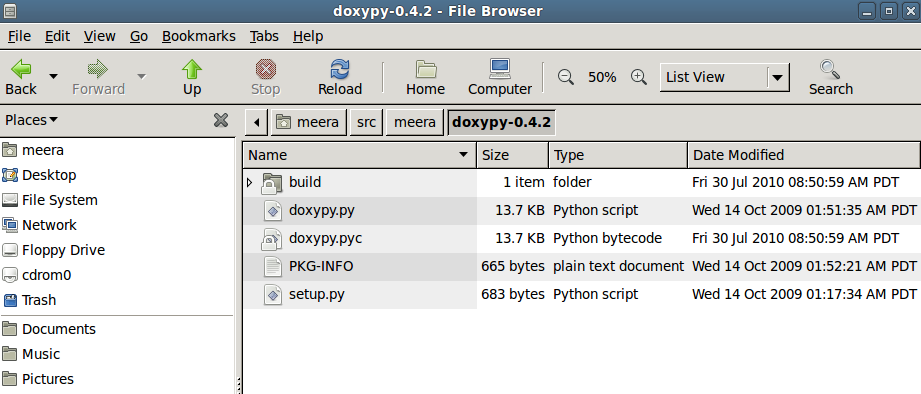
I have been using and working on Python the last couple of months. On Friday, I integrated Doxygen with Pyhton on my Ubuntu machine and hence this post to document the details of the same.
2.Download and install
3. Now change to the directory where doxypy is extracted and cd doxypy-0.4.2/run,
sudo python setup.py install
4. Now, assuming doxygen and doxypy is correctly installed, run the following command:
doxygen Doxyfile.conf
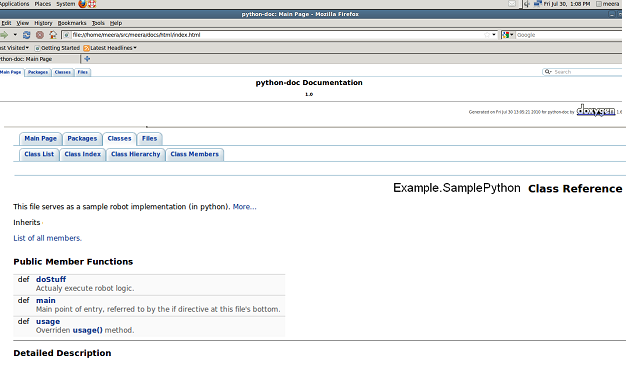
Once you have the documentation generated, you can publish the results on the Hudson dashboard. See the earlier link to tutorials to do the same.
I have been using and working on Python the last couple of months. On Friday, I integrated Doxygen with Pyhton on my Ubuntu machine and hence this post to document the details of the same.
- Download and install doxygen using the following command:
- sudo apt-get install doxygen
- Once installed, run doxygen -g to generate the default configuration file. I renamed this as Doxyfile.config.
2.Download and install
- doxypy from http://code.foosel.org/doxypy
3. Now change to the directory where doxypy is extracted and cd doxypy-0.4.2/run,
sudo python setup.py install
4. Now, assuming doxygen and doxypy is correctly installed, run the following command:
doxygen Doxyfile.conf
Once you have the documentation generated, you can publish the results on the Hudson dashboard. See the earlier link to tutorials to do the same.
Monday, May 24, 2010
2010: Year of Python?
I definitely think I suffer from Herpetophobia. Just seeing anything which crawls scares me to death. So, when I was given this book on Python in late 2007, I refused to even read the book; the cover had a huge picture of Python. The book I am talking about was "Programming Python". At that time, I was the Team Leader for the Book Review team at Javalobby. I donated that book to one of my colleagues. Not sure if they reviewed the book or not.
I am still scared of reptiles. However, last week I was asked at work if I would be interested in working on a project which uses Python. I agreed, since I am up for all challenges. I was a bit scared when my colleague said he has a book of Python and went to bring the same. This book however doesn't have the reptile anywhere on its cover.
Having programmed in Java and .NET for many many years now, yep don't even remember how long I have been using these languages, it definitely is a welcome change to learn a completely different language. I have enjoyed working in Java and .NET all these years. I have spent almost 3 days now, working the samples and going over each and every topic and am amazed at this language.I think it was indeed a good decision on my part to have agreed to work on this new project.
A couple of days more, and I am sure I will be preaching everyone to use Python. So, have you used Python? What are your thoughts? What are things you like and dislike about this language? Share your thoughts.
I am still scared of reptiles. However, last week I was asked at work if I would be interested in working on a project which uses Python. I agreed, since I am up for all challenges. I was a bit scared when my colleague said he has a book of Python and went to bring the same. This book however doesn't have the reptile anywhere on its cover.
Having programmed in Java and .NET for many many years now, yep don't even remember how long I have been using these languages, it definitely is a welcome change to learn a completely different language. I have enjoyed working in Java and .NET all these years. I have spent almost 3 days now, working the samples and going over each and every topic and am amazed at this language.I think it was indeed a good decision on my part to have agreed to work on this new project.
A couple of days more, and I am sure I will be preaching everyone to use Python. So, have you used Python? What are your thoughts? What are things you like and dislike about this language? Share your thoughts.
Thursday, January 14, 2010
Maven - It Isn't ALL Bad!
Nope, this isn't a blog post to start another war between Ant and Maven. I am and will remain a huge fan of Ant for many years to come. Having used it extensively in the last decade, I know the in's and out's of writing huge huge build files. Yes, huge build files.
However, I was trying a few new projects and all the samples I tried were mostly in Maven. It had been my New Years Resolution for many years to learn Maven. But, they remained just that , New Years Resolutions and never got a chance to actually either learn or use it in any of my projects.
Last week, I had a few hours of free time, and decided to actually try Maven from scratch. I was always intimidated by the POM; which is THE PROJECT OBJECT MODEL. No idea why. I tried a few simple commands and was able to clearly understand and learn Maven the right way.
If given an option now, what will I choose for my new project, can you guess? Nope, you thought I would choose Maven, you are wrong. I would still use Ant. However, if I am writing an article, or giving a presentation, I would rather use Maven. It is so simple to create a new project, where Maven does all the work for you.
At this point, Maven created the entire directory structure for me as shown below. How cool is that?
If you are having trouble finding from where Maven is getting all the information, just try the above command. You will see the merged POM, which can help in many ways.
In one step I was able to create an entire project structure. That's the biggest plus for Maven. Convention over Configuration.
So, that's it for today. I will write more about Maven the next time I do something even more interesting.
However, I was trying a few new projects and all the samples I tried were mostly in Maven. It had been my New Years Resolution for many years to learn Maven. But, they remained just that , New Years Resolutions and never got a chance to actually either learn or use it in any of my projects.
Last week, I had a few hours of free time, and decided to actually try Maven from scratch. I was always intimidated by the POM; which is THE PROJECT OBJECT MODEL. No idea why. I tried a few simple commands and was able to clearly understand and learn Maven the right way.
If given an option now, what will I choose for my new project, can you guess? Nope, you thought I would choose Maven, you are wrong. I would still use Ant. However, if I am writing an article, or giving a presentation, I would rather use Maven. It is so simple to create a new project, where Maven does all the work for you.
- Open a command prompt, and type the following command:
- mvn archetype:create -DgroupId=org.meeras.sample -DartifactId=sample -DpackageName=org.meeras.sample
At this point, Maven created the entire directory structure for me as shown below. How cool is that?
- The POM at this point is very simple, with just JUnit as it's dependency. If you want to see effective POM, which Maven always executes from, run the following command to see all the Parent POM's and also the Super POM.
- mvn help:effective-pom
If you are having trouble finding from where Maven is getting all the information, just try the above command. You will see the merged POM, which can help in many ways.
- Maven creates a simple Java class with a static main which you can run from the command line where the POM.xml file resides .This following command compiles, tests, packages and installs the sample application.
- mvn install .
C:\dev\projects\maven-samples\sample>java -cp target/sample-1.0-SNAPSHOT.jar org
.meeras.sample.App
Hello World!
C:\dev\projects\maven-samples\sample>
In one step I was able to create an entire project structure. That's the biggest plus for Maven. Convention over Configuration.
So, that's it for today. I will write more about Maven the next time I do something even more interesting.
Tuesday, December 8, 2009
5 Books I Read In 2009
All these years I used to have an article or a blog entry about the Top 5 books I read. The one I wrote last year can be read here at Javalobby. On an average, I used to read at least 13- 15 book a year. Last year, was not a good one for me and I really feel embarrassed to say that I just read 5 books in 2009. It's not even one book in 2 months. Really bad, no?
However, the books I read were quite interesting and good ones. So, below is the list of 5 books(only) I read in 2009.
1. JBoss in Action. You can read the review for this book posted on Javalobby here.
2. Stripes:...And Java Web Development Is Fun Again. Review posted on Javalobby can be read here.
3. Agile Testing : A Practical Guide for Testers and Agile Teams by Lisa Crispin and Janet Gregory. A must read book if you are following Agile, and if you are a tester. By the time I finished reading this book, I had completely lost focus, and never managed to write a review.
4. VMware Cookbook - A Real-World Guide to Effective VMware Use. You can read the review for this book on my blog here.
5. Spring Enterprise Recipes: A Problem-Solution Approach. I started reading this a couple of days back. Just like the previous one from Gary Mak, Spring Recipes: A Problem-Solution Approach
for which I did write a detailed review at Javalobby, this is also an excellent book. I read in detail the first few chapters, just awesome. If you are planning to use Spring 3.0 along with the latest like Spring Batch, Spring Integration or Distributed Spring you have to get this book. I am hoping to write a detailed review for this book. Stay tuned.
I also hope to double the number of books I read in the coming year 2010, and write detailed reviews as well.
What books did you read in 2009? Any interesting ones you would like to share?
However, the books I read were quite interesting and good ones. So, below is the list of 5 books(only) I read in 2009.
1. JBoss in Action. You can read the review for this book posted on Javalobby here.
2. Stripes:...And Java Web Development Is Fun Again. Review posted on Javalobby can be read here.
3. Agile Testing : A Practical Guide for Testers and Agile Teams by Lisa Crispin and Janet Gregory. A must read book if you are following Agile, and if you are a tester. By the time I finished reading this book, I had completely lost focus, and never managed to write a review.
4. VMware Cookbook - A Real-World Guide to Effective VMware Use. You can read the review for this book on my blog here.
5. Spring Enterprise Recipes: A Problem-Solution Approach. I started reading this a couple of days back. Just like the previous one from Gary Mak, Spring Recipes: A Problem-Solution Approach
for which I did write a detailed review at Javalobby, this is also an excellent book. I read in detail the first few chapters, just awesome. If you are planning to use Spring 3.0 along with the latest like Spring Batch, Spring Integration or Distributed Spring you have to get this book. I am hoping to write a detailed review for this book. Stay tuned.
I also hope to double the number of books I read in the coming year 2010, and write detailed reviews as well.
What books did you read in 2009? Any interesting ones you would like to share?
Wednesday, November 25, 2009
Book Review : VMware Cookbook
VMware Cookbook - A Real-World Guide to Effective VMware Use is written by Ryan Troy and Matthew Helmke. The book has around 255 pages, and 7 chapters.
I have been using VMware products for many years now. It was always a challenge to administer some of these products. Especially, the ESX Servers.
If you are using any of VMware's products like the ESX, ESXi, or the vSphere, this book provides you with tons of useful tips and makes life easier for you as an administrator.
The book has 7 chapters, and each chapter includes several recipes for a specific problem.
Chapter 1, VMware Infrastructure Installation
As the chapter name suggests, it covers installation for ESX and ESXi. The authors cover both 3.x and 4.0 versions. This chapter also has almost 17 tables showing different configuration maximums for ESX 3.x/4.x which is really going to be useful if you are planning your virtual environment.
Chapter 2, Storage
In this chapter, the authors discuss about the different types of storage and how to configure and use them within the ESX servers.
Chapter 3, Networking
If you want to configure your virtual switches, software and hardware adapters, Ethernet frame sizes or simply knowing the differences between ESX 3.5 and ESXi 3.5 in network support, this chapter provides recipes for all these items. Also, if you need to create a service console network using the CLI, or you need to know how to use Multiple Gateways, these recipes are included as well.
Chapter 4, Resource and vCenter Management
If you have used VMware products, than you will be familiar with terms like clustering, HA(High Availability), and DRS(Distributed Resource Scheduler). This chapter discusses several recipes for all these, and also recipes to configure, setup and maintain these resources as well.
Chapter 5, Useful Command-Line Tools
If you like using command line tools, than this chapter and the recipes here will get you started with those as well. You will learn how to enter maintenance mode using the command line, display server info, emptying a large VM(Virtual Machine) logfile. Also, recipes for monitoring CPU usage, memory usage, storage performance, network usage are also included. There are 46 recipes just in this chapter.
Chapter 6, General Security
Ok, this is the most important chapter if you are concerned about securing your virtual environment. Most are Linux-related, since ESX server uses Red Hat Linux. A few of the recipes in this chapter are as such:
This final chapter has recipes which introduces you to configuration files which are needed for networking, startup, which you would want to automate.
If you are a network administrator using the most latest VMware products, than this book is the ultimate guide for you. That said, I am not a network administrator, but many recipes in this book helped me. So, if you are using VMware products; especially ESX servers, go get this book. Highly Recommended.
I have been using VMware products for many years now. It was always a challenge to administer some of these products. Especially, the ESX Servers.
If you are using any of VMware's products like the ESX, ESXi, or the vSphere, this book provides you with tons of useful tips and makes life easier for you as an administrator.
The book has 7 chapters, and each chapter includes several recipes for a specific problem.
Chapter 1, VMware Infrastructure Installation
As the chapter name suggests, it covers installation for ESX and ESXi. The authors cover both 3.x and 4.0 versions. This chapter also has almost 17 tables showing different configuration maximums for ESX 3.x/4.x which is really going to be useful if you are planning your virtual environment.
Chapter 2, Storage
In this chapter, the authors discuss about the different types of storage and how to configure and use them within the ESX servers.
Chapter 3, Networking
If you want to configure your virtual switches, software and hardware adapters, Ethernet frame sizes or simply knowing the differences between ESX 3.5 and ESXi 3.5 in network support, this chapter provides recipes for all these items. Also, if you need to create a service console network using the CLI, or you need to know how to use Multiple Gateways, these recipes are included as well.
Chapter 4, Resource and vCenter Management
If you have used VMware products, than you will be familiar with terms like clustering, HA(High Availability), and DRS(Distributed Resource Scheduler). This chapter discusses several recipes for all these, and also recipes to configure, setup and maintain these resources as well.
Chapter 5, Useful Command-Line Tools
If you like using command line tools, than this chapter and the recipes here will get you started with those as well. You will learn how to enter maintenance mode using the command line, display server info, emptying a large VM(Virtual Machine) logfile. Also, recipes for monitoring CPU usage, memory usage, storage performance, network usage are also included. There are 46 recipes just in this chapter.
Chapter 6, General Security
Ok, this is the most important chapter if you are concerned about securing your virtual environment. Most are Linux-related, since ESX server uses Red Hat Linux. A few of the recipes in this chapter are as such:
- Allowing or Denying Users the use of SSH
- Recovering a lost root password
- Tracking users via the CLI
- Configuring Active Directory Authentication
- Disabling Copy and Paste
This final chapter has recipes which introduces you to configuration files which are needed for networking, startup, which you would want to automate.
If you are a network administrator using the most latest VMware products, than this book is the ultimate guide for you. That said, I am not a network administrator, but many recipes in this book helped me. So, if you are using VMware products; especially ESX servers, go get this book. Highly Recommended.
Subscribe to:
Posts (Atom)